

Скачать GeoGebra Classic 5 – бесплатное динамическое математическое программное обеспечение, интерактивный учебный инструмент
Обзор
GeoGebra Classic 5 — мощная, бесплатная платформа для математики, разработанная для студентов, преподавателей и всех, кто хочет исследовать числа визуально и интерактивно. Объединяя арифметику, алгебру, геометрию и математический анализ в едином интуитивном интерфейсе, GeoGebra превращает абстрактные концепции в манипулируемые объекты, которые можно перетаскивать, изменять их размер и связывать в реальном времени. Такое бесшовное сочетание символических и графических представлений позволяет увидеть, как одно уравнение влияет на форму, вектор или набор данных, способствуя более глубокому пониманию и снижая ощущение страха, часто сопутствующее высшей математике.
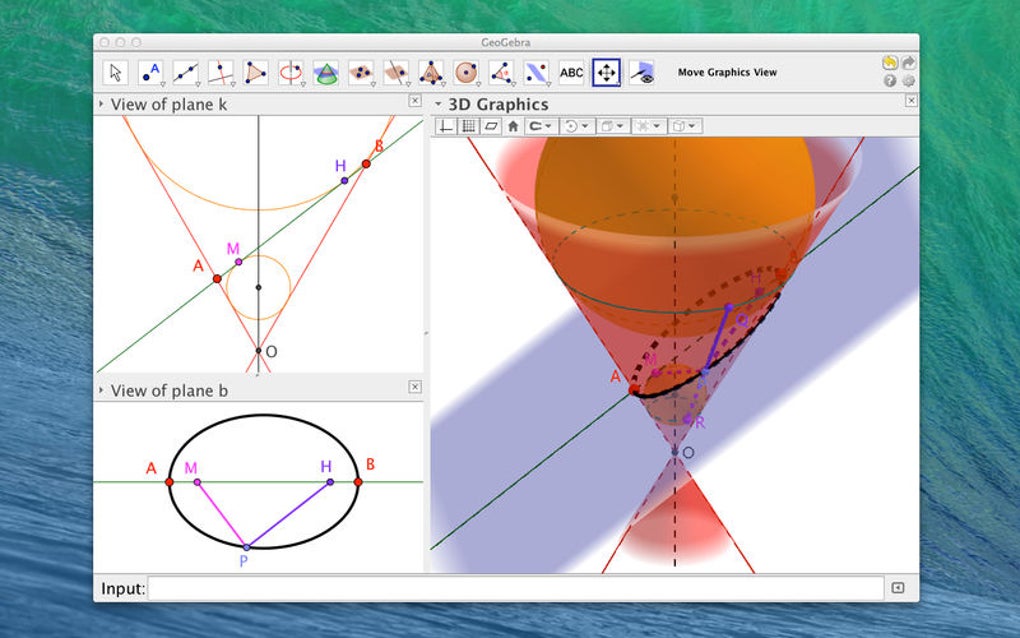
Программное обеспечение построено вокруг гибкой панели инструментов, содержащей десятки средств — точки, векторы, линии, конические сечения, ползунки и многое другое — каждое из которых можно настроить через свойства, появляющиеся рядом с холстом. Эти окна свойств перетаскиваемы, позволяя пользователям поддерживать порядок в рабочем пространстве и сосредотачиваться на текущей задаче. Помимо основных инструментов построения, GeoGebra Classic 5 включает мощный редактор уравнений, позволяющий вводить алгебраические выражения напрямую, мгновенно отражая изменения в геометрическом виде.
Хотя обширный набор функций может сначала казаться ошеломляющим, GeoGebra предоставляет большую библиотеку учебных материалов, примерных листов и ресурсов, созданных сообществом, чтобы помочь новичкам. Будь то визуализация траектории снаряда, исследование пределов функции или создание динамического урока для класса, GeoGebra Classic 5 предлагает безопасную, регулярно обновляемую среду, работающую на разных операционных системах без скрытых платежей. Его открытый исходный код стимулирует постоянное улучшение и гарантирует актуальность инструмента для современных учебных программ.
Ключевые функции
- Unified Math Workspace: Combine algebraic formulas, geometric constructions, spreadsheets, and calculus tools in one canvas.
- Dynamic Sliders & Controls: Adjust parameters on the fly to see immediate visual feedback on graphs and shapes.
- Extensive Geometry Toolbox: Create points, lines, circles, conics, polygons, vectors, and 3‑D objects with just a click.
- Equation Editor & CAS Integration: Type or paste equations; the computer algebra system (CAS) simplifies, solves, and displays results instantly.
- Customizable Property Boxes: Modify color, thickness, opacity, and labeling of any object; property panels can be moved or hidden.
- Rich Resource Library: Access thousands of teacher‑created worksheets, interactive simulations, and student activities via the GeoGebra Materials platform.
- Cross‑Platform Compatibility: Runs on Windows, macOS, Linux, Android, and iOS with identical functionality across devices.
- Export Options: Save constructions as images, PDFs, SVGs, or embed them directly into web pages and learning management systems.
- Collaborative Class Groups: Teachers can create private groups, share activities, and track student progress in real time.
- Open‑Source & Regular Updates: Free to download, with a vibrant developer community delivering bug fixes and new features quarterly.
Установка, совместимость и советы при первом запуске
Installing GeoGebra Classic 5 is straightforward. Visit the official GeoGebra website, select the “Download Classic 5” button, and choose the appropriate installer for your operating system. For Windows users, a standard .exe file is provided; macOS users receive a .dmg package; Linux users can download a .tar.gz archive or use a repository package. Android and iOS devices have dedicated apps available through Google Play Store and Apple App Store, respectively.
System requirements: A modern processor (Intel i3 or equivalent), at least 2 GB of RAM, and a graphics card capable of OpenGL 2.0 or higher. The application runs on Windows 10/11, macOS 10.13 or later, Ubuntu 18.04+, Android 5.0+, and iOS 12+. Because GeoGebra is Java‑based, it automatically includes the necessary runtime, eliminating the need for separate Java installations.
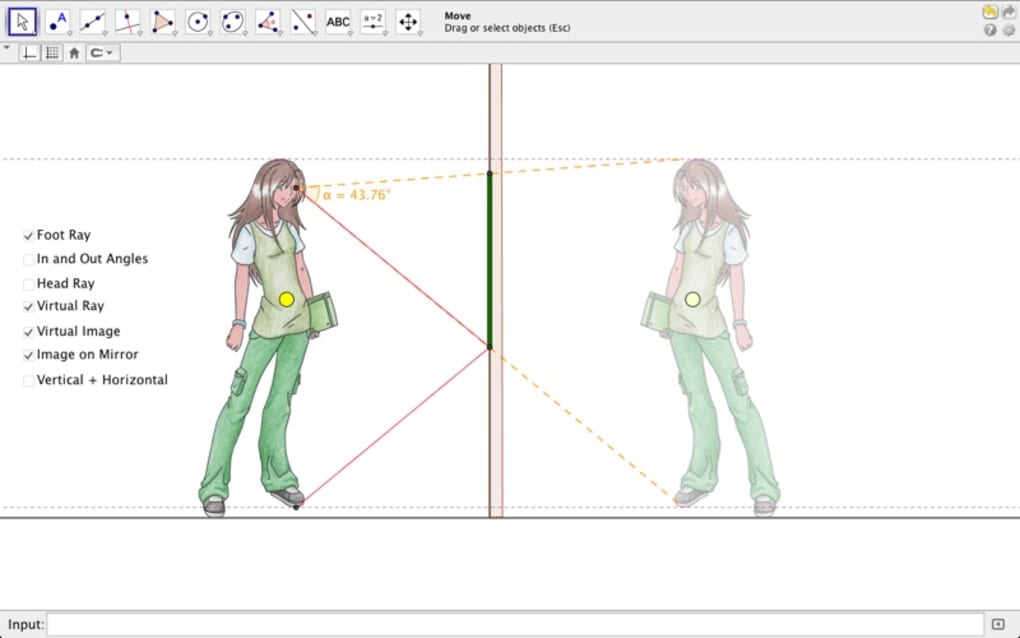
After installation, launch GeoGebra Classic 5 and you will be greeted by a clean workspace featuring the toolbar at the top and a blank canvas in the center. Begin by exploring the “Point” tool—click anywhere on the canvas to place a point, then open its property box to rename it or assign a numeric value. Experiment with sliders: create a slider from the “Slider” tool, set a range, and link it to an equation (e.g., y = a·x) to watch the line tilt as you move the slider.
For new users, the built‑in “Tutorial” menu offers a step‑by‑step walkthrough of the most common tools. Spend a few minutes with these guided lessons to become comfortable with the interface before diving into more complex constructions. Remember to save your work frequently; GeoGebra stores files with the .ggb extension, which can be reopened later for editing or sharing.
Плюсы, минусы и часто задаваемые вопросы
Плюсы
- Completely free with no hidden subscription fees.
- All‑in‑one environment that bridges algebra, geometry, and calculus.
- Cross‑platform support ensures consistent experience on desktop and mobile.
- Strong community and extensive library of ready‑made resources.
- Highly customizable interface and powerful export options.
Минусы
- Initial learning curve can be steep for users unfamiliar with dynamic mathematics software.
- Some advanced CAS features are less robust compared to dedicated symbolic calculators.
- Occasional performance lag on older hardware when handling very large constructions.
- Resource quality varies; not all community‑created worksheets include detailed instructions.
- Interface may appear cluttered due to the sheer number of icons and tools.
Часто задаваемые вопросы
Is GeoGebra Classic 5 really free?
Yes. GeoGebra Classic 5 is open‑source software released under the GNU GPL license, meaning you can download, use, and share it without paying any fees.
Can I use GeoGebra Classic 5 offline?
Absolutely. After installation, all core features work without an internet connection. Online resources such as the Materials library require connectivity, but you can download any worksheet for offline use.
Does GeoGebra support 3‑D geometry?
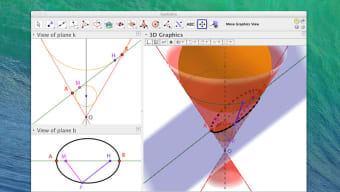
Yes. While Classic 5 is primarily a 2‑D environment, it includes a 3‑D view where you can construct solids, surfaces, and parametric curves. The 3‑D tools share the same dynamic slider functionality as the 2‑D workspace.
How does GeoGebra handle collaborative work?
Teachers can create class groups on the GeoGebra website, share activities with a secure link, and even monitor student submissions. Collaboration is also possible through shared .ggb files stored in cloud services like Google Drive.
Is there a way to embed GeoGebra constructions into a website?
Yes. Each construction can be exported as an embeddable HTML snippet or an iFrame code, allowing you to place interactive graphs directly into blogs, LMS platforms, or any web page.
Заключение и призыв к действию
GeoGebra Classic 5 stands out as one of the most versatile, free mathematics tools available today. By merging algebraic, geometric, and numeric representations into a single, dynamic environment, it empowers learners to explore concepts that would otherwise remain abstract. Whether you are a high‑school student tackling quadratic functions, a university professor preparing interactive calculus demos, or a hobbyist curious about geometric transformations, GeoGebra offers a secure, regularly updated platform that grows with your needs.
The initial learning curve is real, but the wealth of tutorials, community resources, and built‑in help makes the journey rewarding. With cross‑platform compatibility, robust export options, and a vibrant ecosystem of shared worksheets, GeoGebra Classic 5 is more than just a software package—it’s a collaborative learning hub.
Ready to make math visual, engaging, and fun? Скачать GeoGebra Classic 5 сейчас and start building interactive models that bring numbers to life. Join millions of educators and students worldwide who have already transformed their mathematical experience.
GeoGebra Classic 5 delivers a comprehensive, free solution for dynamic mathematics. Its powerful feature set, cross‑platform support, and thriving community make it an indispensable tool for both teaching and learning.